

IPTV Encoder Under $1000
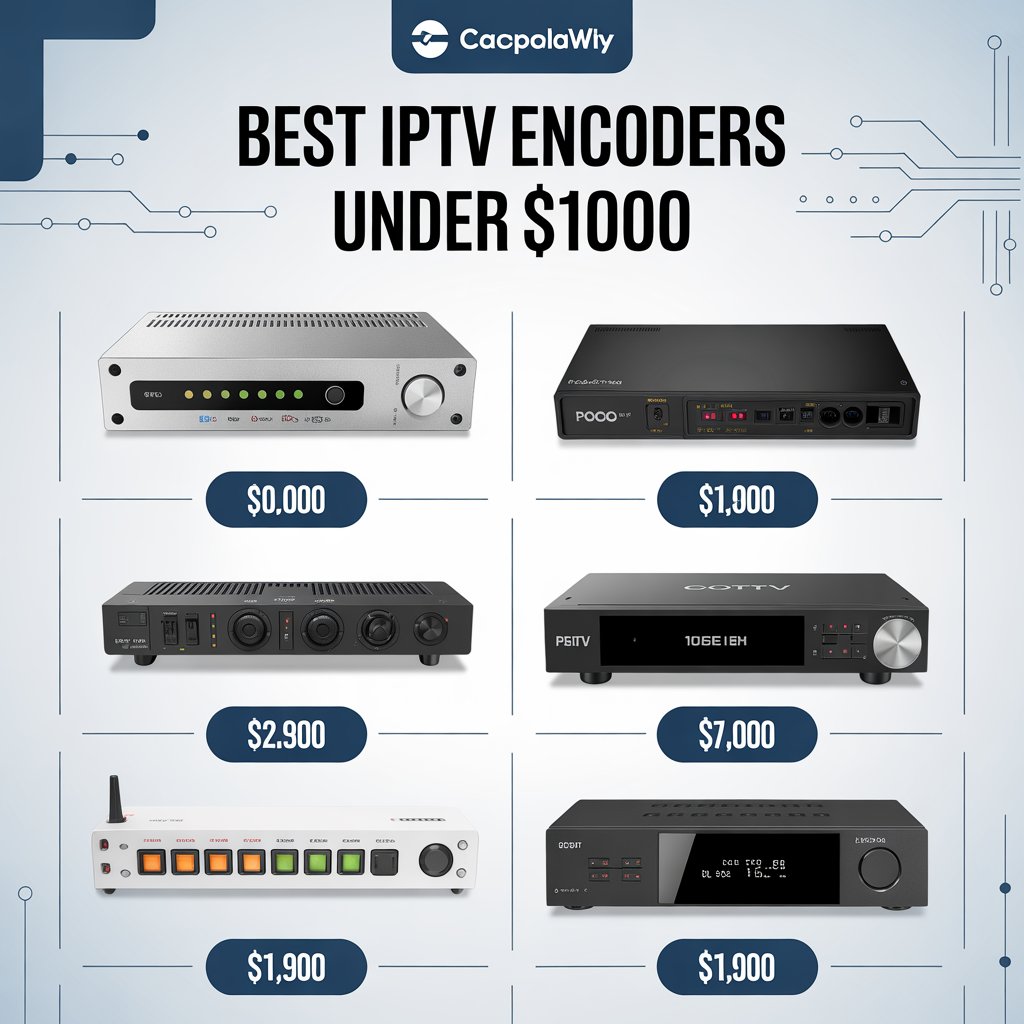
IPTV Encoder Under $1000
“`
An IPTV encoder under $1000 converts live video sources (HDMI/SDI/camera feeds) into compressed IP streams (H.264/H.265) for delivery across local networks or the internet — a cost-effective choice for small broadcasters, businesses, and streaming startups.
Choosing an IPTV encoder under $1000 gives you a practical, budget-friendly route into professional streaming. Whether you want to deliver training sessions across an office network, stream live events to platforms, or build a small IPTV service, an IPTV encoder under $1000 balances cost and capability without forcing compromises on core features like 1080p support, H.264/H.265 codecs, and standard streaming protocols.
Why buy an IPTV encoder under $1000?
Investing in an IPTV encoder under $1000 is often the most efficient way to get broadcast-quality streaming for smaller deployments. High-end broadcast hardware costs thousands; a well-chosen encoder under $1000 unlocks features you actually need while leaving room in the budget for decoders, bandwidth, and content creation.
Core benefits of an IPTV encoder under $1000
- Lower initial investment for startups and small businesses.
- Sufficient performance for 1080p live streaming and most enterprise use cases.
- Support for industry codecs and protocols (H.264, H.265, RTMP, HLS, RTP).
- Compact form factor suitable for desktop or entry rack setups.
How an IPTV encoder works — quick overview
An IPTV encoder under $1000 ingests a video feed (HDMI/SDI), applies compression (H.264 or H.265), packetizes the video, and sends it over IP using protocols such as RTMP, HLS, RTP, or UDP. The goal is to deliver a stable, viewable stream with an acceptable tradeoff between quality and bandwidth.
Encoder vs decoder
Remember: an encoder produces the stream; a decoder receives and plays it. Your overall solution will often need both, and budgeting for decoders and networking hardware is part of the total cost of ownership.
Essential features to look for
When choosing an IPTV encoder under $1000, prioritize the features below. They define usability, compatibility, and long-term value.
Input & resolution support
- Input types: HDMI is standard; SDI preferred if you need professional camera connectivity.
- Resolution: Full HD (1080p) at 50/60 Hz is the practical baseline.
- Loop-out: HDMI loop-out for local monitoring is a useful convenience.
Codec & bitrate
H.264 support is mandatory in this price band; H.265 (HEVC) is a valuable add-on if you plan to conserve bandwidth. Ensure the encoder offers both CBR (constant) and VBR (variable) bitrate modes so you can choose predictable bandwidth or peak quality.
Network & protocol support
- Gigabit LAN: essential for stable high-bitrate streams.
- Multicast support: important for distributing streams to many local devices efficiently.
- Output protocols: RTMP, HLS, UDP/RTP, RTSP are common — confirm the ones you need.
Management & latency
Look for a clear web GUI, SNMP or monitoring endpoints, and firmware update pathways. Latency varies—budget encoders typically range from sub-second to a few seconds; test the specific device if you need live interaction.
Use cases where an IPTV encoder under $1000 shines
The IPTV encoder under $1000 category is purpose-built for these common scenarios:
- Corporate streaming: town halls, training, and internal broadcasts across office buildings.
- Education: remote lectures, classroom broadcasting, campus signage.
- Houses of worship & community events: streaming services and ceremonies to congregations and online audiences.
- Small IPTV services: apartment/ hotel in-house channels where cost per endpoint must remain low.
- Beginner producers: solo creators stream to social platforms while keeping equipment cost low.
Recommended technical checklist before purchase
Must-have:
- HDMI input (or SDI if required)
- 1080p60 support
- H.264, optional H.265 support
- Gigabit Ethernet with multicast/IGMP support
- RTMP/HLS/UDP/RTP output options
- Web GUI and firmware update mechanism
Budget planning & total cost of ownership
Buying an IPTV encoder under $1000 is only part of the cost. Include:
- Network upgrades (managed switches, IGMP snooping) — may be required for multicast.
- Decoder devices or smart TV app development.
- CDN or streaming platform fees if distributing to the public internet.
- Support & warranty from vendor — choose reputable providers even if slightly more expensive.
Practical setup guide — step by step
Use this configuration flow to set up an IPTV encoder under $1000 for a typical deployment:
- Connect the video source (camera, switcher) to the encoder’s HDMI or SDI input.
- Connect the encoder to a gigabit managed switch (enable IGMP snooping if using multicast).
- Open the encoder web GUI and set input resolution and frame rate to match the source.
- Choose codec (H.264 or H.265) and set desired bitrate (e.g., 4–8 Mbps for 1080p depending on quality needs).
- Configure output protocol (RTMP for social media/CDN; HLS or MPEG-TS for broad device compatibility; UDP/RTSP for low-latency LAN delivery).
- If streaming publicly, set up target server/stream keys (YouTube, Facebook, CDN). For internal networks, assign multicast address or HTTP stream endpoints.
- Test end-to-end playback on representative devices (smart TV, mobile, desktop) and tweak bitrate/codec to optimize results.
Optimization tips & best practices
- Use CBR for predictable bandwidth on restricted networks; VBR for best visual quality when bandwidth varies.
- Prefer H.265 only if all target devices support it — otherwise provide an H.264 fallback.
- Monitor network health and packet loss — even small amounts of UDP packet loss can spoil a live stream.
- Keep encoder firmware updated to reduce bugs and improve performance.
- Plan for redundancy: a spare encoder and dual uplinks if uptime is critical.
Troubleshooting common issues
Playback stutter or buffering
Check bitrate vs available network bandwidth. If your IPTV encoder under $1000 is set to a high bitrate but the network cannot sustain it, drop the bitrate or enable adaptive bitrate options.
Audio out of sync
Verify audio sample rate and the encoder audio settings. Some encoders offer audio delay compensation. Also confirm the source isn’t introducing latency before the encoder.
Multicast not working
Confirm IGMP snooping and multicast routing on switches and routers. Ensure endpoints are on the same VLAN (or routed properly) and that firewall rules aren’t blocking multicast groups.
Comparing models — what to expect under $1000
In the IPTV encoder under $1000 price segment you’ll typically find:
- Single-input (HDMI) encoders with 1080p and H.264 support — the most common and practical option.
- Some multi-channel (2–4) units but often with reduced feature sets or lower resolutions to stay within budget.
- Devices that advertise HEVC/H.265 support — check real-world performance and compatibility carefully.
Quick comparison table (sample expectations)
| Feature | Single-input <$1000 | Multi-input (often >$1000) |
|---|---|---|
| Typical resolution | 1080p60 | 1080p or lower per channel |
| Codec | H.264; some H.265 | H.264/H.265 (varies) |
| Latency | Low to moderate (0.5–3s) | Varies, can be higher |
| Multicast support | Often yes | Yes (but switch load higher) |
Common pitfalls to avoid
- Buying a unit with unsupported output protocols for your decoders or platform.
- Underestimating network requirements — unmanaged switches and consumer routers can break multicast and high bitrates.
- Assuming H.265 is always better — compatibility with endpoints matters more than theoretical efficiency.
- Ignoring vendor support and firmware update policies — a cheaper device with poor support can cost more in downtime.
Security considerations
Treat your encoder like any other networked appliance:
- Change default credentials and use strong passwords.
- Place encoders in a management VLAN and restrict access via ACLs or firewall rules.
- Enable TLS for management interfaces where possible and use secure streaming options when sending to CDNs.
Integration & compatibility checklist
Before finalizing a purchase of an IPTV encoder under $1000, confirm these integration points:
- Are the output formats supported by your smart TVs and player apps?
- Does your CDN or streaming platform accept the stream protocol you plan to use?
- Will your network switches and routers handle multicast or IGMP correctly?
- Do you need closed captions or ancillary data passthrough? Verify encoder support if required.
Extended FAQ
Can an IPTV encoder under $1000 stream to YouTube and a local LAN at the same time?
Many encoders support simultaneous outputs — you can stream RTMP to YouTube while also producing an HLS or UDP stream to your internal network. Confirm simultaneous stream limits in the device documentation.
Is a cloud encoder a good alternative?
Cloud encoders (software running in the cloud) remove the need for local hardware but add ongoing costs and require reliable uplink bandwidth. For local, private IPTV delivery, a physical IPTV encoder under $1000 often remains more efficient.
Will a cheap encoder be unreliable?
Not necessarily. Reliability depends on vendor quality, firmware support, and proper network design. Select reputable vendors with good documentation and do real-world testing before deployment.
Vendor & product research — where to look
Search vendor sites, reseller listings, and community forums for model reviews. Use the following placeholders to link to deeper resources in your final published post:
- [Link to related article on streaming architecture]
- [Link to product comparison of HDMI encoders]
- [Link to vendor support docs or setup guides]
- [Link to WHO report on mental health]
Checklist to finalize purchase
- Confirm inputs, outputs, codecs, and protocols.
- Test compatibility with one or two target devices.
- Validate network readiness (managed switches, IGMP, bandwidth).
- Purchase additional warranty or support if available and important to uptime.
- Plan for a simple redundancy or failover strategy for mission-critical streams.
Glossary — quick terms
- CBR: Constant Bitrate — steady bandwidth for easier network planning.
- VBR: Variable Bitrate — higher efficiency, fluctuating bandwidth.
- H.264: Widely supported codec, good quality and compatibility.
- H.265 (HEVC): More efficient but less universally supported by older devices.
- Multicast: Network method to deliver one stream to many endpoints efficiently.
- RTMP/HLS: Common protocols for streaming to platforms or devices.
Sample configurations (realistic examples)
Scenario A — Corporate classroom
Use an IPTV encoder under $1000 with HDMI input, H.264, CBR at 6 Mbps, multicast to 10 smart displays on a managed VLAN. Configure IGMP snooping on switches and test simultaneously on typical endpoints.
Scenario B — Church live stream
Configure the encoder to produce dual outputs: RTMP to the public CDN/YouTube (H.264, 4–6 Mbps) and UDP multicast to in-house screens. Ensure audio settings are matched to the console feed and test remote viewing on mobile devices.
Final recommendations
When shopping for an IPTV encoder under $1000, favor devices that:
- Offer the codec and protocol flexibility you need (H.264 + H.265 where relevant).
- Provide a usable management interface and active vendor support.
- Include clear spec documentation about latency, bitrate range, and simultaneous outputs.
- Are tested in your network environment before wide deployment.
Ready to choose your encoder?
If you want, I can compare specific models, build a shopping short-list, or draft a deployment checklist for your network — comment below or contact us to get a tailored recommendation.
