 Skip to main content
IPTV Encoder Under $700 – Complete Guide
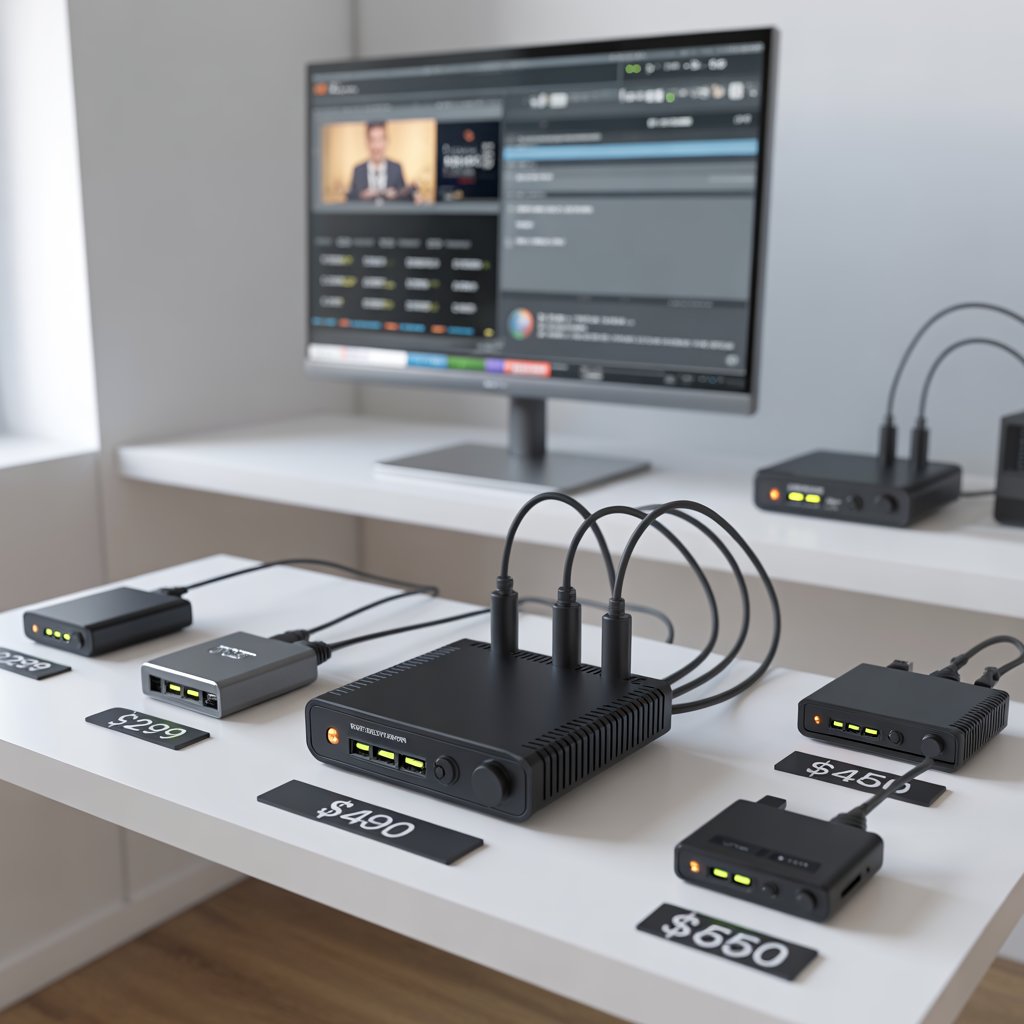
IPTV Encoder Under $700 — Complete Buying Guide & Setup Tips
An IPTV encoder under $700 is a hardware device that converts live video (HDMI/SDI/composite) into IP streams (H.264/H.265) for distribution over local networks or the internet, while keeping the total unit cost around seven hundred US dollars or less.
If you’re searching for an IPTV encoder under $700, this friendly professional guide explains what to look for, the tradeoffs you’ll encounter, and how to choose a unit that fits your needs and network. Many creators, businesses, and small venues prefer a budget encoder because it provides dependable 1080p streaming without the steep price tag of broadcast racks.
Who this guide is for
This guide is written for beginners and small teams who need reliable video distribution: community broadcasters, houses of worship, small hotels, digital signage managers, event producers, and content creators. If you want an IPTV encoder under $700 to power a single channel or a small multi-screen deployment, you’ll find practical advice here.
Why choose an IPTV encoder under $700?
Choosing an IPTV encoder under $700 is often about balancing cost and capability. At this price point you typically get a single-channel hardware encoder (or a compact dual-channel unit), support for H.264 encoding, reliable web UIs, and common streaming outputs like RTMP and HLS.
Common advantages
- Lower initial investment while keeping quality high for 720p–1080p streams.
- Compact physical form factor—suitable for small racks or desktop setups.
- Most units are simple to configure and easy to maintain.
When to avoid a sub-$700 encoder
If you require multi-program (4+ inputs), native 4K, or very low latency for competitive live production, consider investing more. An IPTV encoder under $700 is ideal for many use cases but not for every enterprise broadcast need.
How an IPTV encoder works — basics you should know
An IPTV encoder under $700 accepts a video feed (like HDMI or SDI), compresses it using a codec (typically H.264; some include H.265), and sends it out over Ethernet as RTMP, HLS, RTP, or UDP streams. The encoded stream can be consumed by a CDN, an internal multicast network, a smart TV app, or a set-top box.
Key building blocks: input → encode → packetize → deliver. Each stage matters for compatibility, latency, and final video quality.
Key features to evaluate in an IPTV encoder under $700
When comparing units, focus on inputs, codecs, outputs/protocols, bitrate control, latency, and network features. Below are the essential attributes.
1. Input types and compatibility
Most budget encoders offer 1× HDMI input; some include SDI or analog breakout. Ensure the encoder matches your camera, switcher, or source device to avoid adapters.
2. Codec support — H.264 vs H.265
An IPTV encoder under $700 typically guarantees H.264 (AVC). H.265 (HEVC) improves compression but increases hardware cost and compatibility concerns. If bandwidth is limited and your playback targets support HEVC, consider units that offer H.265—even if rare under $700.
3. Output protocols & device compatibility
Look for HLS and RTMP for broad internet delivery, and RTP/UDP for LAN or multicast distribution. If you plan local distribution to IPTV set-top boxes, verify the exact protocol and playlist support your decoder requires.
4. Latency and bitrate control
For live events, latency matters. Budget units can achieve sub-second to few-second latencies depending on settings. Variable bitrate (VBR) and constant bitrate (CBR) modes let you control network usage.
Practical checklist before you buy
Use this checklist to match the perfect IPTV encoder under $700 to your workflow.
- Confirm input type: HDMI or SDI?
- Target resolution & frame rate: 720p/1080p, 30/60fps?
- Required output protocols: RTMP, HLS, UDP, RTP?
- Will your network handle multicast or only unicast?
- Do your playback devices support H.265 or only H.264?
- Does the vendor provide firmware updates and responsive support?
Realistic specifications you can expect
Typical specs for a reliable IPTV encoder under $700:
- Input: 1× HDMI or HDMI + 1× SDI
- Encoding: H.264 (some offer H.265 optional)
- Resolution: up to 1080p60
- Bitrate: adjustable ~1–20 Mbps
- Outputs: RTMP, HLS, UDP/RTP, SRT on some models
- Network: 1 Gbps Ethernet, IGMP support for multicast
Top use cases for an IPTV encoder under $700
The sub-$700 encoder is perfectly suited for:
- Single-channel live streaming to YouTube, Facebook, or a private server.
- Small hotel or hospital IPTV channel distribution over LAN.
- Event streaming for houses of worship and community centers.
- Digital signage where scheduled video needs to be broadcast across displays.
- Classroom or corporate lecture capture and distribution.
Network considerations — don’t skimp on infrastructure
A good IPTV encoder under $700 requires a supportive network. Budget gear can’t mask poor switches, insufficient bandwidth, or misconfigured routers.
Bandwidth planning
Calculate expected network traffic: for 1080p at 5 Mbps, each concurrent stream consumes ~5 Mbps. Multiply by expected viewers on your internal network and add headroom for other services.
Multicast vs Unicast
If you’re distributing to many local devices, multicast (IGMP) reduces duplicated streams on the network. Ensure your switches support IGMP snooping; many budget units require it to scale efficiently.
Step-by-step: Setting up an IPTV encoder under $700
Basic setup typically follows these steps. The process is straightforward for most units in this price range.
- Connect the video source (HDMI/SDI) to the encoder.
- Connect the encoder to your LAN via Ethernet (1 Gbps recommended).
- Access the encoder’s web UI (IP address assigned via DHCP or static).
- Configure encoding settings: codec (H.264), resolution, frame rate, bitrate.
- Configure output target(s): RTMP endpoint, HLS playlist folder/URL, or UDP multicast address.
- Start the stream and validate playback on an endpoint device.
- Monitor performance and temperature; check logs for dropped frames.
Troubleshooting common problems
Even with a well-chosen IPTV encoder under $700, you may hit issues. Here are common problems and fixes.
No video or black screen
Check input cable, source output resolution, and HDCP restrictions from some consumer devices. Try a secondary HDMI cable or direct camera feed to isolate the problem.
Artifacts, dropped frames or stuttering
Lower the bitrate or adjust encoder preset to reduce CPU/ASIC load. Verify your network isn’t congested—check switch stats and for packet loss.
Playback compatibility issues
Ensure your encoder’s output protocol matches the player. For wide compatibility across devices, HLS is a safe default; RTMP is useful for direct CDNs.
Budget-friendly encoder models & what to expect
Several manufacturers target the low-to-mid market. While specific model availability and prices change, you can generally expect the following categories:
- Compact single-input encoders — best for one camera or source; easy to use.
- Desktop dual-channel encoders — encode two sources or provide one hot spare stream.
- Small rack devices — limited redundancy but often better thermal design.
Note: Models and prices vary by region. When shopping for an IPTV encoder under $700, check shipping, taxes, and optional licenses that may push the final cost above $700.
Comparing hardware vs software encoding
A software encoder (OBS, vMix) running on a PC can be cheaper initially. However, a dedicated IPTV encoder under $700 offers predictable performance, dedicated cooling, and lower latency without tying up a production PC.
When software makes sense
- You already own a powerful encoding PC and want flexible overlays & scene mixes.
- Low upfront cost is essential and you have a fallback plan for reliability.
When hardware is preferable
- You need unattended, 24/7 operation with low maintenance.
- Lower jitter and predictable latency are required.
- Simple single-button or web UI control is preferred for non-technical operators.
Security & operational best practices
Treat your encoder like any network device: keep firmware updated, change default passwords, restrict management access to a secure VLAN, and monitor logs. An IPTV encoder under $700 may not include advanced security features, so network segmentation is essential.
Licensing, support and firmware
Verify the vendor’s support policy and how they handle firmware updates. Cheap encoders sometimes ship with limited support; check user reviews for long-term reliability. Ensure the firmware contains fixes for known streaming bugs and update paths for security patches.
Hidden costs to watch for
While the sticker price may be under $700, total cost of ownership can include:
- Optional modules or licenses (e.g., H.265 or SRT support)
- Shipping, customs or VAT for international purchases
- Network upgrades (managed switches, IGMP support)
- Decoders or middleware for large IPTV deployments
Case study: A small church using an IPTV encoder under $700
A church wanted to stream services to in-house TVs and a remote audience. They purchased an IPTV encoder under $700 with 1× HDMI, configured H.264 1080p30 at 5 Mbps, and used HLS to distribute internally and RTMP to stream to YouTube. After initial setup and a short test period, the encoder ran reliably and allowed staff to stream weekly services with minimal training.
Frequently asked questions (FAQs)
Q: Can an IPTV encoder under $700 handle 4K?
Most sub-$700 encoders do not support native 4K encoding. 4K requires more processing power and better cooling; if 4K is essential, plan a higher budget or a server/software solution.
Q: Do I need a decoder too?
Yes—encoding and decoding are two sides of the workflow. If your viewers use smart TVs or apps that accept HLS, you may not need dedicated hardware decoders. For legacy set-top boxes, confirm decoder compatibility.
Q: How many times should I expect to see “IPTV encoder under $700” in documentation?
Product pages and guides often repeat the target phrase to help with searchability and clarity. In planning content or performing searches, you’ll see the phrase used frequently to match budgets and feature sets.
Shopping & vendor tips
When purchasing your IPTV encoder under $700, follow these vendor shopping tips:
- Buy from authorized dealers who provide warranty and returns.
- Check user reviews for reliability and firmware history.
- Ask about optional licenses and whether they’re one-time or subscription.
- Confirm what support channels are available (email, phone, community forum).
Recommended testing checklist after purchase
Immediately after you receive your IPTV encoder under $700, run these tests:
- Verify physical input & output connections (HDMI/SDI).
- Run a 30-minute continuous stream to check stability & temperature.
- Test playback on multiple devices: smart TV, phone, laptop.
- Measure end-to-end latency and zap time for channel switching.
- Test network behavior with multiple concurrent local viewers.
Migration & upgrade path
Plan for growth: if you expect to add channels, move to 4K, or adopt higher efficiency codecs, design your network and system architecture so you can swap or add equipment without major disruption. An IPTV encoder under $700 is often the first step in a scalable plan.
Glossary — quick reference
- H.264/AVC: A widely supported video codec used by most budget encoders.
- H.265/HEVC: A newer codec with better compression, less common under $700.
- RTMP: Streaming protocol often used to push to CDNs like YouTube.
- HLS: HTTP Live Streaming, broadly supported by smart devices.
- IGMP: Used by networks to manage multicast traffic for IPTV.
Internal & external resources
For further reading and tools, use placeholder links below to add your site’s related content and authoritative external references:
- [Link to related article on setting up local multicast networks]
- [Link to related article on hardware streaming gear]
- [Link to WHO report on mental health]
- [Link to vendor product comparison page]
Final recommendations — pick the right encoder for your situation
To summarize: decide your required inputs, target resolution, and output protocols first. If your goal is reliable 1080p streaming for one or two channels, an IPTV encoder under $700 can be an excellent value. If you anticipate multiple channels, 4K, or heavy professional use, budget for a higher-end option.
Practical next steps:
- Map your exact use case and required protocols.
- Choose 2–3 candidate models and verify firmware & support.
- Purchase from an authorized reseller and run a full 72-hour test before going live.
Ready to choose an encoder?
Comment below with your source type and channel count and we’ll recommend 2–3 specific models under $700 that fit your needs. Contact us or subscribe for regular guides.
